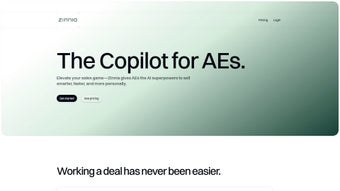

Download Zinnia – AI‑Powered Sales Insights & Automation Tool
Introduction & Overview
In the fast‑paced world of B2B sales, the ability to surface the right insight at the right moment can be the difference between a closed deal and a lost opportunity. Zinnia answers that need with an AI‑driven web platform that crafts personalized playbooks, generates conversation starters, and automates follow‑ups, all while keeping your existing workflow intact. The solution combines natural‑language processing, predictive analytics, and real‑time calendar integration to give sales professionals a daily briefing that includes prospect bios, recent news, and suggested talking points.
Whether you are a solo founder hustling for every lead, a growing startup scaling its outbound engine, or an enterprise sales organization managing hundreds of pipelines, Zinnia promises to reduce manual research time, increase the relevance of outreach, and ultimately lift conversion rates. The free starter plan lets you test core AI suggestions without commitment, while the paid tiers unlock deeper personalization, multi‑step automation, and premium integrations. By turning data into conversation, Zinnia empowers teams to move from guesswork to confidence‑driven selling, shortening sales cycles and driving higher revenue per rep.
Key Features That Differentiate Zinnia
- AI‑Generated Deal Playbooks: Each opportunity receives a custom roadmap that highlights buyer motivations, preferred channels, and optimal outreach timing, all based on historical interaction patterns.
- Dynamic Conversation Starters: Instantly receive ice‑breakers that reference recent news, shared interests, or mutual connections, making first‑contact emails feel human and timely.
- Tailored Discovery Questions: A living question bank adapts to industry, role, and pain points, ensuring every call extracts actionable insights.
- Real‑Time Objection Handling: When a prospect raises price, competition, or fit concerns, the AI suggests data‑backed rebuttals that keep the dialogue moving forward.
- Automated Follow‑Up Scheduler: Set cadence rules once; Zinnia triggers personalized emails and reminders based on prospect engagement metrics.
- Daily Calendar Briefing: Syncs with Google, Outlook, or Apple calendars to deliver a concise briefing 10‑15 minutes before each meeting, summarizing bios, recent activity, and suggested resources.
- Prospect Insight Dashboard: Visualize common interests, recent social activity, and shared content, allowing you to personalize outreach at scale.
- Robust Integration Hub: Native connectors for Salesforce, HubSpot, Pipedrive, Microsoft Dynamics, Slack, Microsoft Teams, and Zapier extend Zinnia’s reach across your tech stack.
- Enterprise‑Grade Security: End‑to‑end encryption, GDPR compliance, and role‑based access controls protect sensitive prospect data.
- Continuous Learning Engine: The AI refines its suggestions using win/loss data, ensuring recommendations improve as your team closes more deals.
Installation, Usage & Compatibility
Simple Web‑Based Setup
Zinnia is a cloud‑hosted SaaS product, eliminating the need for bulky installers or on‑premise servers. To start, visit Zinnia’s website, click “Start Free Trial,” and complete a short registration form. After email verification, you’ll be guided to link your calendar (Google, Outlook, or Apple) and select your preferred CRM integration. The onboarding wizard then prompts you to define your target industries, import existing contacts, and configure initial follow‑up cadence. Within minutes the platform begins analyzing your data and generating the first set of AI‑driven insights.
How to Use Zinnia Effectively
The dashboard presents a clean overview of active deals, upcoming meetings, and AI‑recommended actions. Selecting a prospect opens a dedicated playbook view where you can review conversation starters, discovery questions, and objection‑handling scripts. All AI‑generated content is editable, allowing you to align it with your brand voice before copying it into emails or call scripts. The “Follow‑Up Automation” tab lets you set triggers such as “after meeting” or “when prospect opens email,” which then queue personalized messages automatically. Daily briefings appear as a non‑intrusive pop‑up before each calendar event, summarizing key talking points and suggesting relevant resources to share on the call.
Supported Operating Systems & Browsers
- Windows 10+ – Chrome, Edge, Firefox
- macOS 11+ (Big Sur) – Safari, Chrome, Firefox
- Linux – any modern Chromium‑based browser
- iOS 14+ – Safari, Chrome (responsive web app)
- Android 9+ – Chrome, Firefox (responsive web app)
Because Zinnia runs entirely in the browser, there is no separate desktop client or mobile app to install. As long as you have a stable internet connection and a supported browser, you can access the full feature set from a laptop, tablet, or smartphone.
Pros, Cons, FAQ & Final Verdict
Pros
- Deeply personalized AI insights that adapt to each deal.
- Seamless calendar integration delivering real‑time briefings.
- Automation of follow‑ups saves several hours per week.
- Extensive native integrations with major CRMs and communication tools.
- Enterprise‑grade security and GDPR compliance.
Cons
- Advanced AI features (full playbooks, multi‑step automation) are locked behind paid plans.
- Teams new to AI‑driven workflows may experience a short learning curve.
- Reliance on constant internet connectivity; offline capabilities are limited.
FAQ – Answers from the Zinnia Team
Is Zinnia free or does it require a subscription?
Zinnia offers a free starter plan with basic AI suggestions and calendar briefings. Full access to personalized playbooks, automated follow‑ups, and premium integrations requires a Pro subscription at $49 per user per month.
Can Zinnia integrate with my existing CRM?
Yes. Zinnia natively integrates with Salesforce, HubSpot, Pipedrive, and Microsoft Dynamics, and you can connect to thousands of other apps via Zapier.
How does Zinnia protect my data?
All data is encrypted in transit and at rest. Zinnia is GDPR‑compliant, and role‑based access controls let you restrict who can view sensitive prospect information.
Do I need special hardware to run Zinnia?
No. Zinnia runs in any modern web browser on Windows, macOS, Linux, iOS, or Android devices.
What support options are available?
All users receive email support and access to a knowledge base. Pro subscribers also get live chat, priority ticket handling, and quarterly strategy sessions with a Zinnia sales‑enablement specialist.
Final Verdict – Should You Download Zinnia?
Zinnia stands out as a powerful AI companion that transforms how sales teams research, engage, and follow up with prospects. Its personalized playbooks, calendar‑linked briefings, and automated outreach deliver measurable productivity gains while preserving the flexibility of your existing tech stack. The free tier offers enough functionality to test the concept, and the paid plans quickly demonstrate ROI through higher conversion rates and shorter sales cycles. If you’re ready to replace guesswork with data‑driven conversations and free up time for high‑value selling activities, download Zinnia today and start turning AI insights into revenue.
Zinnia has transformed the way my team approaches prospecting. The AI‑generated conversation starters feel surprisingly human, and the automated follow‑ups have cut our admin time in half. The only downside is the learning curve for new users, but the onboarding resources are solid. Overall, a must‑have tool for modern sales teams.



.png)



